

Deploy WordPress + MariaDB + PHP + Apache web server on rhel9 with easy steps
Step by step guide to deploy MariaDB + WordPress website on Rhel Linux 9.1
Pre-Setup:
I am assuming that you have
Configured the yum client and EPEL repository on the machine.
Hostname
Proper Network Internet connection for package installation
- httpd packages for the web-server
# yum install -y httpd
- Restart the
httpd.serviceand enable it
# systemctl enable --now httpd
- Add http & https package in the firewall & reload the firewall service
# firewall-cmd --permanent --add-port=80/tcp
# firewall-cmd --permannet --add-port=443/tcp
# firewall-cmd --reload
# firewall-cmd --list-all
- check the selinux label
object_r:httpd_sys_content_ton/var/www/html/
# ls -lZ /var/www/html
-rw-r--r--.  1 root root unconfined_u:object_r:httpd_sys_content_t:s0      405 Feb  6  2020 index.html
- Check the HTTP web server page on the browser
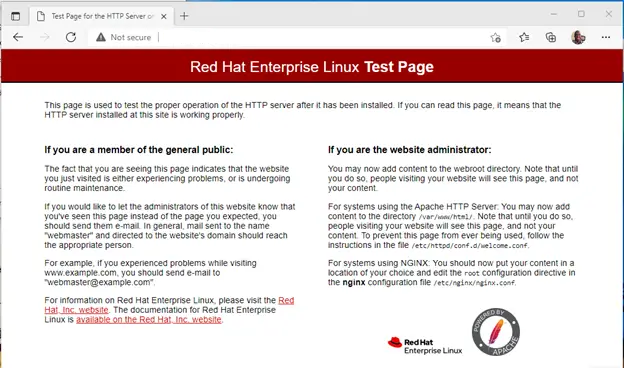
Congratulations!
your apache web server is working perfectly. Let's Move further for MySQL + WordPress configuration.
- For this first, we have to set setup the
"REMI"repository client on the yum repository forPHPpackages.
/etc/os-release before configuring the REMI repository.# cat /etc/os-release
[root@mh1 conf]# cat /etc/os-release
NAME="Red Hat Enterprise Linux"
VERSION="9.1 (Plow)"
REDHAT_SUPPORT_PRODUCT_VERSION="9.1"
- Setup REMI repository for RHEL 9.1
# dnf install https://repo.extreme-ix.org/remi/enterprise/remi-release-9.rpm
# yum repolist all
- Install PHP packages
(php, php-mysqlnd, php-pdo, php-gd, php-mbstring)
# yum install php php-mysqlnd php-pdo php-gd php-mbstring
- Install MySQL/MariaDB & Restart the service
# yum install -y mariadb-server mariadb
# yum enable --now mariadb.service
- Fresh configure your MariaDB
# mariadb-secure-installation
- Get into MariaDB using new login
# mysql -u root -p
password:

Welcome to the MariaDB monitor.  Commands end with ; or \g.
Your MariaDB connection id is 13
Server version: 10.5.22-MariaDB MariaDB Server

Copyright (c) 2000, 2018, Oracle, MariaDB Corporation Ab and others.

Type 'help;' or '\h' for help. Type '\c' to clear the current input statement.

MariaDB [(none)]>
~/.my.cnf file and write some lines# vim ~/.my.cnf
[clients]
username=root
password=password
:wq!
Now you don't need to use -u & -p option to work with the MariaDB database.
# mysql
- Create a new database, user and grant permission on the database.
# mysql

MariaDB [(none)]> CREATE DATABASE wordpress;
MariaDB [(none)]> CREATE USER 'admin'@'localhost' IDENTIFIED BY 'password';
MariaDB [(none)]> GRANT ALL PRIVILEGES ON wordpress.* TO 'admin'@'localhost' WITH GRANT OPTION;
MariaDB [(none)]> FLUSH PRIVILIGES;
- Go to
wordpress.organd download the latest WordPress suit package usingwget.
# cd /var/www/html/
# wget https://wordpress.org/latest.zip
# unzip latest.zip
# rm -rf latest.zip
- Configure
/var/www/html/wordpress/wp-config-sample.phporwp-config.phpconfiguration file
# vim /var/www/html/wordpress/wp-config-sample.php


// ** Database settings - You can get this info from your web host ** //
/** The name of the database for WordPress */
define( 'DB_NAME', 'wordpress' );

/** Database username */
define( 'DB_USER', 'admin' );

/** Database password */
define( 'DB_PASSWORD', 'password' );

/** Database hostname */
define( 'DB_HOST', 'localhost' );
- Open
/etc/httpd/conf/httpd.conffile for above configuration.
# vim /etc/httpd/conf/httpd.conf

Listen 80
User apache
Group apache
ServerAdmin admin@localhost
DocumentRoot "/var/www/html/wordpress"
- Change
user:groupownership toapacheuser on DocumentRoot directory
# chown -R apache:apache /var/www/html/wordpress
# ls -lZ /var/www/html/wordpress
httpd_sys_content_t & user, group ownership should look like this:- apache apache[root@mh1 conf]# ls -lZ /var/www/html/wordpress/
total 228
-rw-r--r--. 1 apache apache unconfined_u:object_r:httpd_sys_content_t:s0 405 Feb 6 2020 filename.extention
- Restart the httpd.service, mariadb.service one more time to update with new changes.
# systemctl restart httpd.service  mariadb.service
# systemctl enable httpd.service mariadb.service
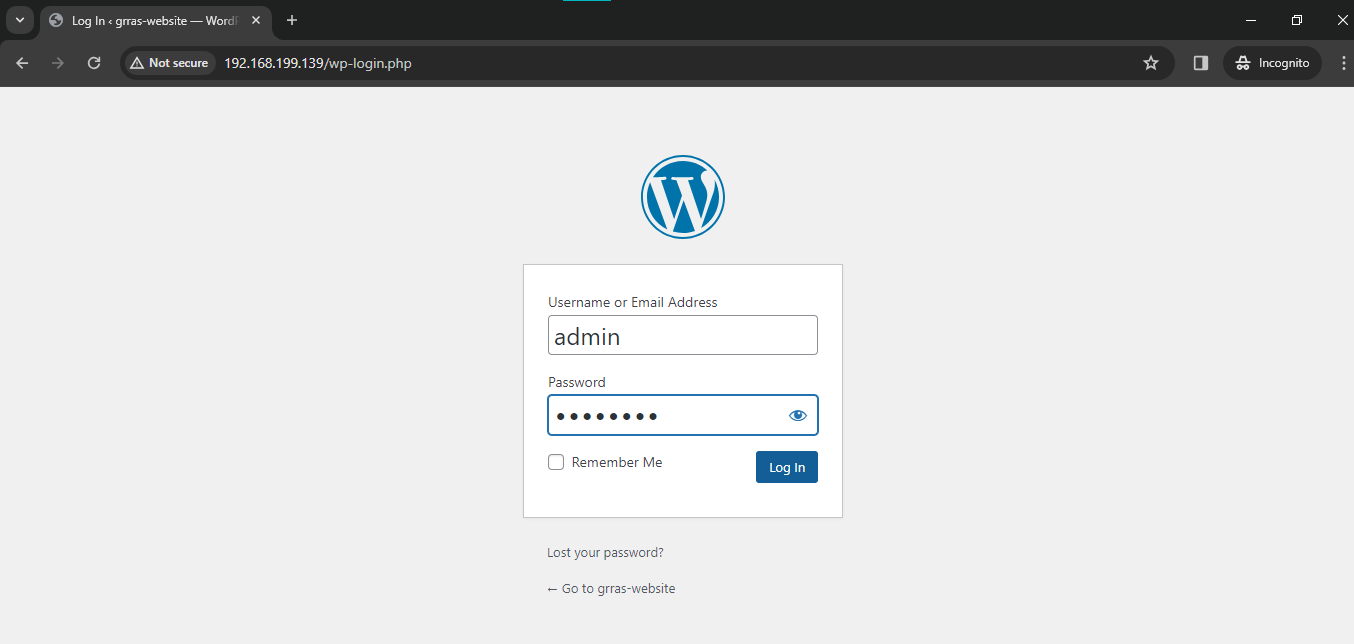
Open your browser and paste this address:
http://machine-ip.Fill your information and login WordPress Page.
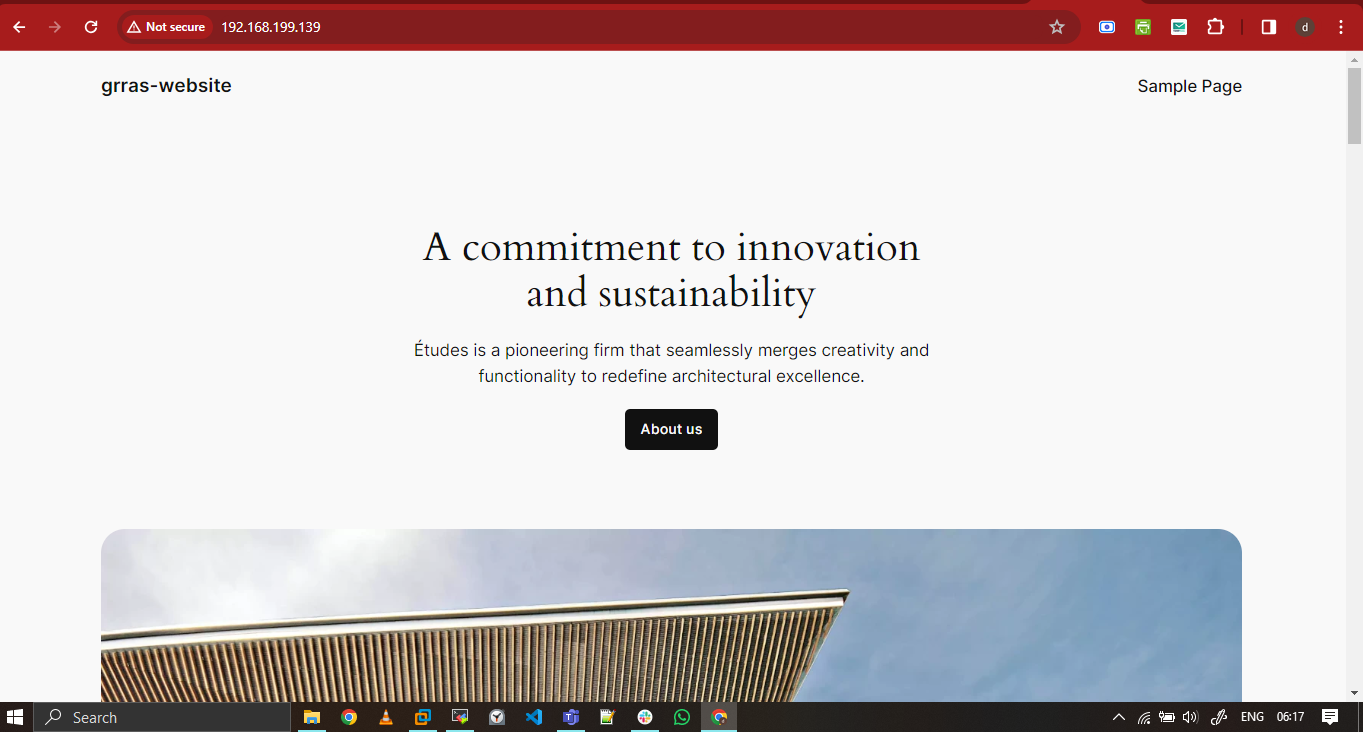
Lots of Congratulations!
About the author
Let's learn together and serve the society, Make India Proud.
Comments
Join the discussionNo comments yet. Be the first to comment.
Linux-Administration-Series
Linux, a robust and versatile operating system, powers millions of servers worldwide. Its open-source nature fosters innovation, making it a favorite among developers and tech enthusiasts alike.


